Author : Shenzhen Tuoxian Technology Co., Ltd, Release time : 2025/1/14 18:36:47
Choosing educational robot programming equipment mainly depends on the learner's age and programming foundation, as the required equipment varies greatly from beginner to advanced levels.
1. Beginner Level (Ages 5-10, No Programming Experience)At this stage, the focus is on cultivating interest, with no need for complex equipment, emphasizing graphical programming and simple construction.- Core equipment: Graphical programming robot kits- Recommended types: Building block robots (e.g., LEGO WeDo 2.0), modular robots (e.g., Makeblock mBot)- Components included: Motors, sensors (infrared, ultrasonic), control board, building blocks, some include remote control- Advantages: No need to purchase additional accessories, ready to use; programming via drag-and-drop modules (similar to Scratch), lowering the entry barrier- Auxiliary equipment: Home computer or tablet- Use: Install the robot's programming software (e.g., LEGO Education APP, mBlock), connect the robot to write and upload programs- Requirements: Basic configuration sufficient, can run software smoothly, must support Bluetooth or USB connection.
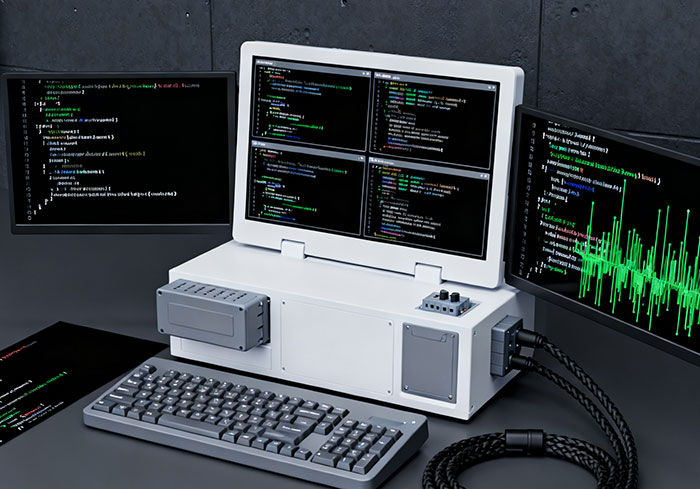
2. Intermediate Level (Ages 10-16, with Graphical Programming Background)At this stage, learners can begin coding (Python/C++), and equipment must support more complex function expansions and hardware linkage.- Core equipment: Expandable programming robot kits- Recommended types: Open-source hardware kits (e.g., Arduino starter kits, Raspberry Pi robot kits), advanced building block robots (e.g., LEGO EV3)- Components included: More powerful control boards (e.g., Arduino Uno, Raspberry Pi), more sensors (light, temperature, touch), servos (for precise movements), battery packs- Advantages: Supports coding in C/C++, Python, etc.; can connect third-party sensors or modules (e.g., cameras, display screens), offering higher flexibility- Auxiliary equipment: - Computer: Requires installation of code editors (e.g., Arduino IDE, Thonny), configuration slightly higher than beginner level; some may need internet for driver downloads - Basic tools: Screwdrivers (for assembly), power bank (for outdoor power supply), Dupont wires (for module connections)
3. Professional Level (16+, with Coding Background)Suitable for competitions and project development, requires self-selection of hardware, focusing on engineering practice and deep learning.- Core equipment: Open-source hardware and components (self-selected) - Control boards: Arduino Mega (multiple interfaces), Raspberry Pi 4B (with OS, supports AI computation), ESP32 (strong wireless communication) - Actuators and sensors: Stepper motors (precise control), servos (multi-degree freedom), LiDAR (environment detection), camera modules (image recognition) - Structural parts: Metal frames, 3D printed parts (requires 3D printer), tracks/wheels (mobile robots)- Auxiliary equipment: - High-performance computer: Runs programming software (e.g., VS Code, ROS robot operating system), some scenarios require image or data processing, recommended with dedicated graphics card - Professional tools: Soldering iron (component soldering), multimeter (circuit testing), programmer (uploading programs), lithium battery pack (high-capacity power supply)Equipment Selection Suggestions:- Prefer kits to avoid buying parts separately: Choose brand kits for beginner and intermediate levels to avoid compatibility issues and benefit from complete tutorials- Pay attention to software ecosystem: Choose brands with mature programming software and community support (e.g., LEGO, Arduino) to easily access learning resources and resolve issues- Upgrade as needed: Start with a beginner kit, and after mastering the basics, add expansion modules (e.g., camera, Bluetooth module) to avoid excessive one-time investment